SERVICES
We guide you through the process with our digital tool
With Milva's webapp we've packaged our expertise into a simple and efficient service.
- 1
Login
Customer app login
Check your email for login credentials. Look in your inbox for an email from noreply@milva.io with login credentials for pro.milva.io
- 2
Start a new project
Your first project
Get started easily with your first project. Click on new project or on the 3 horizontal lines in the top left corner to get started. Select + New Sampler project.
- 3
Take a new sample
Easy sampling
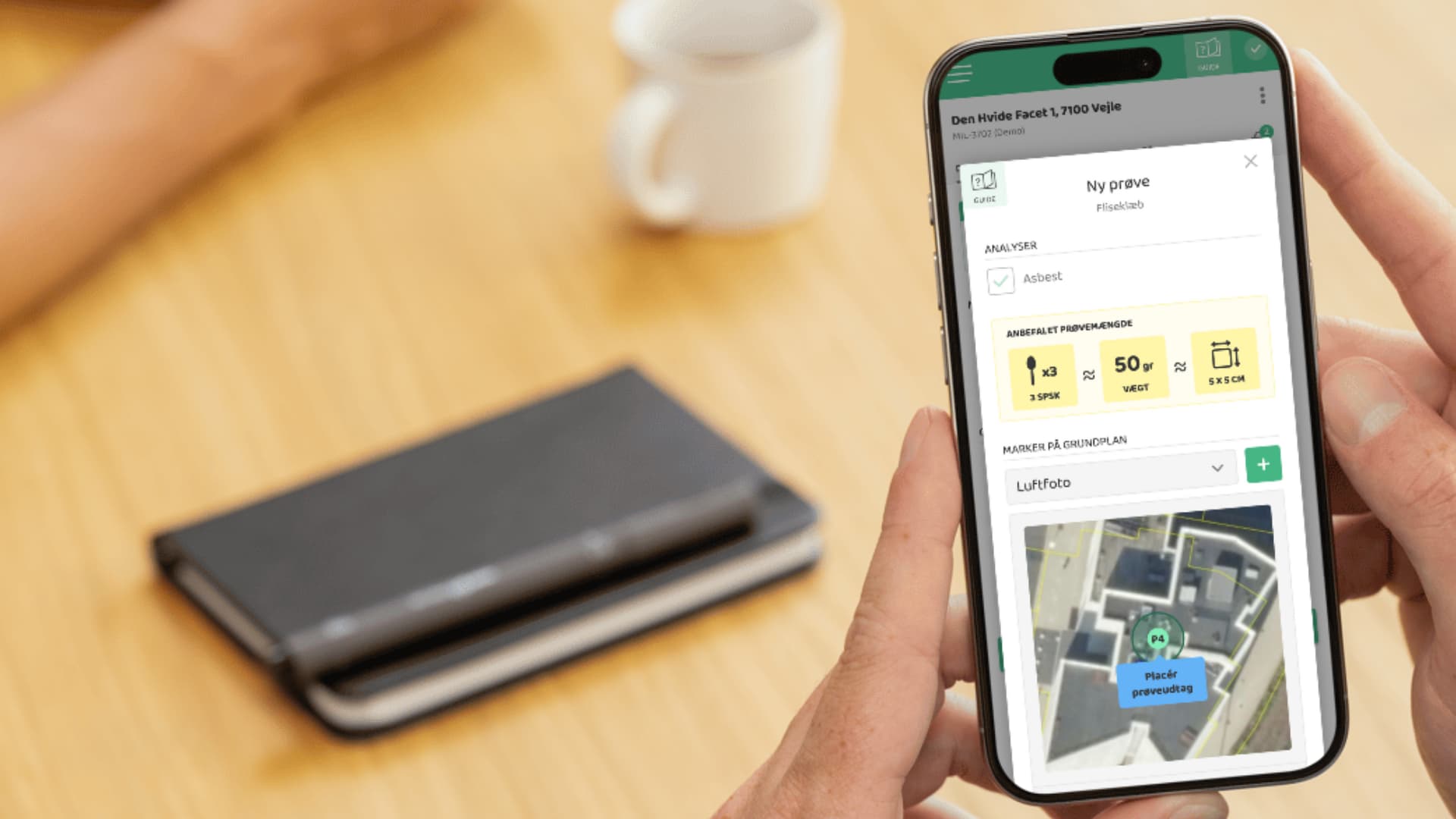
Get started quickly and easily with sampling. After creating a new project with an address and floor plan uploaded, either from BBR or your own, you're ready to take samples. Choose from our materials guide (+600) or select which samples you want to take yourself.
- 4
Place a new order
Ordering samples
Order samples easily and conveniently in our app. No need to call back and forth. Simply order for collection at your private drop point, a custom address, or choose drop off at the laboratory.
- 5
Results and reporting
Results and report in the app
Get automatic results by SMS and an automatically generated report with your branding. You can follow the status of your sample in the app and when the analysis result is ready, it is automatically generated as an online and PDF report. You also receive the result by SMS if you have enabled this.
iPhone
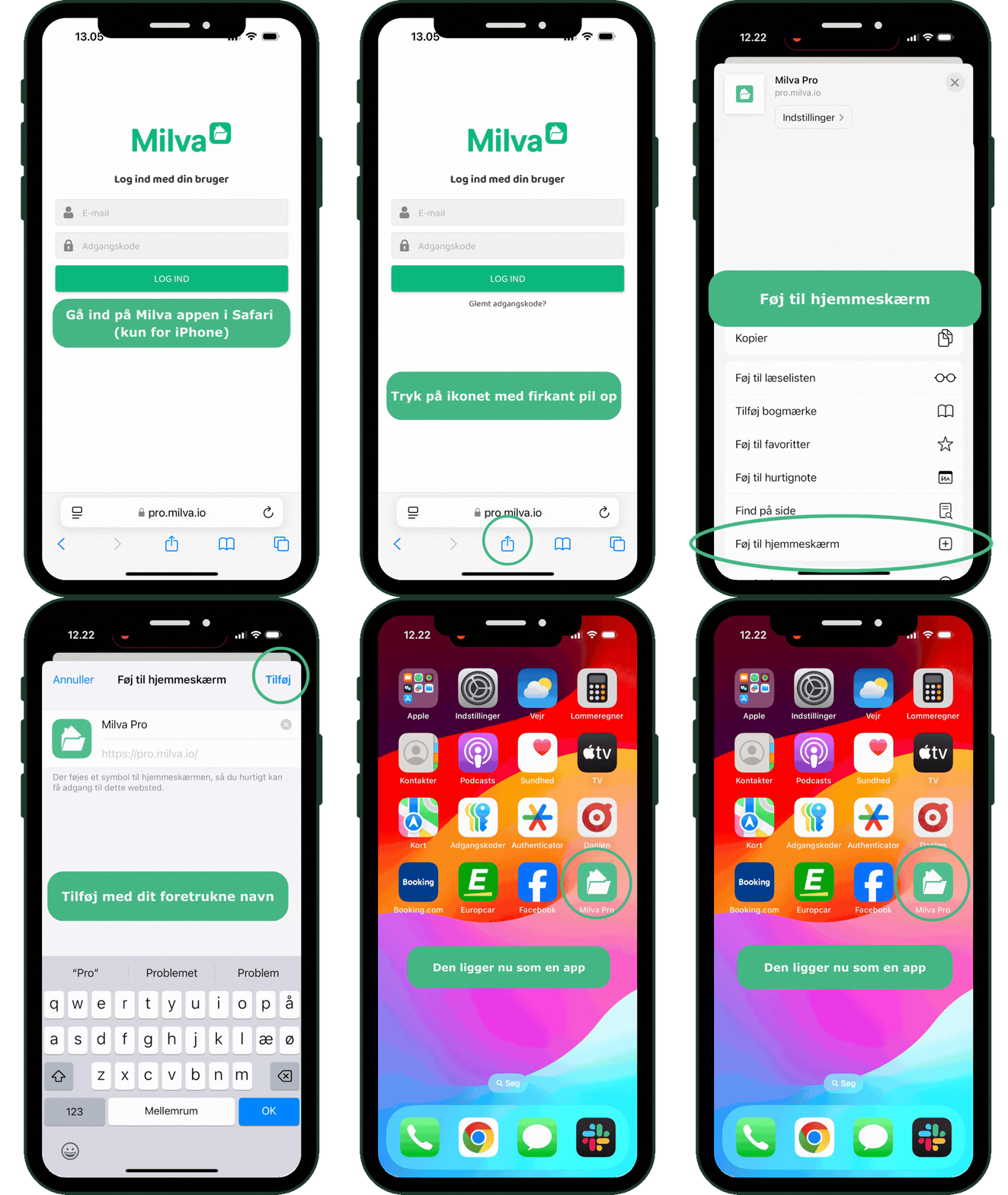
Download the app for iPhone with Safari Browser
Add our app to your home screen
- 1Open Safari and go to the Milva app at https://pro.milva.io
- 2Follow the guide in the video so you can easily access our app
- 3Add the Milva Pro app to your home screen. So it's easy to find when you need it
Android
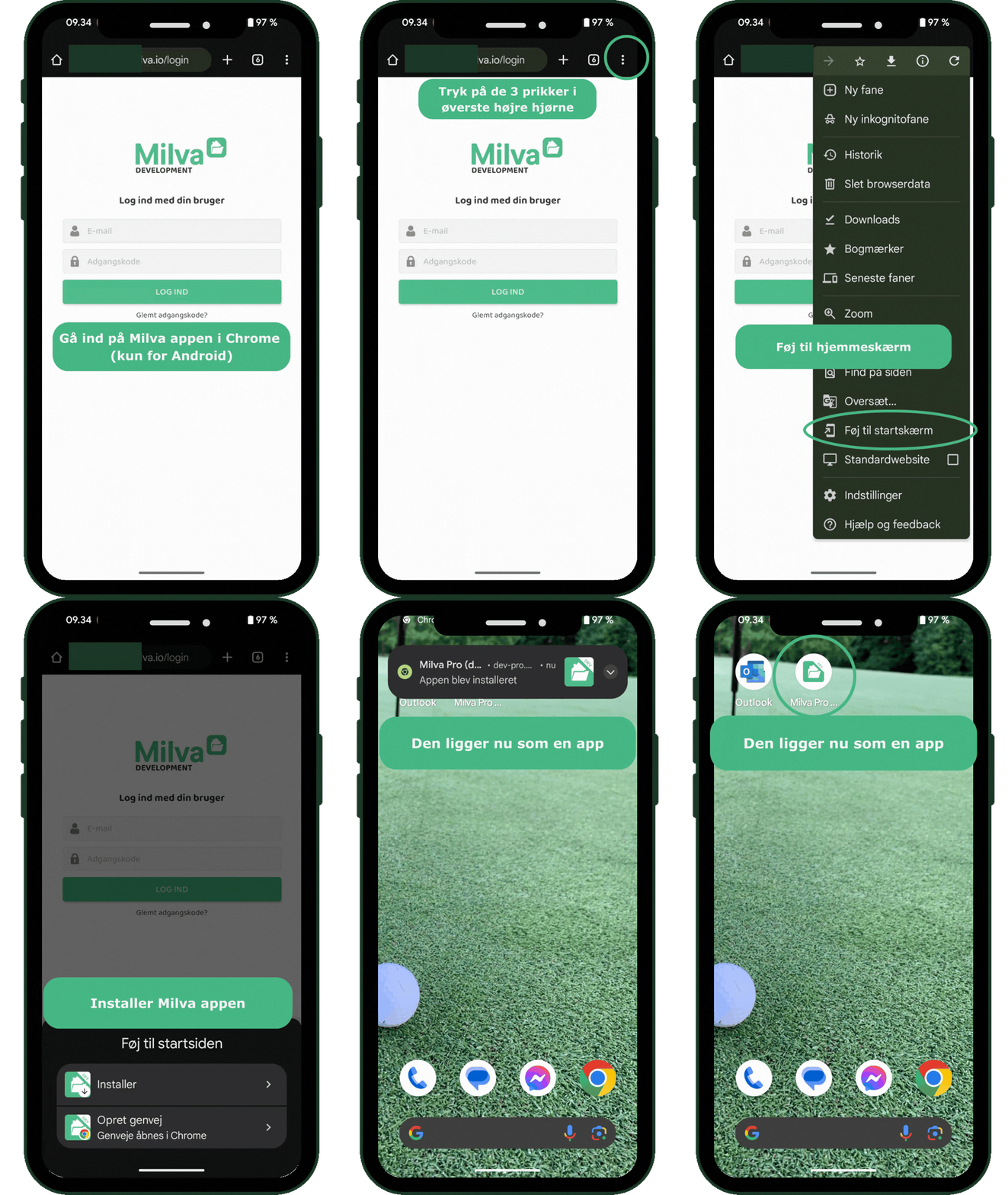
Download the app for Android with Chrome Browser
Add our app to your home screen
- 1Open Chrome and go to the Milva app at https://pro.milva.io
- 2Follow the guide in the video so you can easily access our app
- 3Add the Milva Pro app to your home screen. So it's easy to find when you need it